
Build loads: pallets, cube, weight and cases
Pick what fills a truck, check the limits, press Build Routes, and take the cheaper plan if one turns up.
Steps
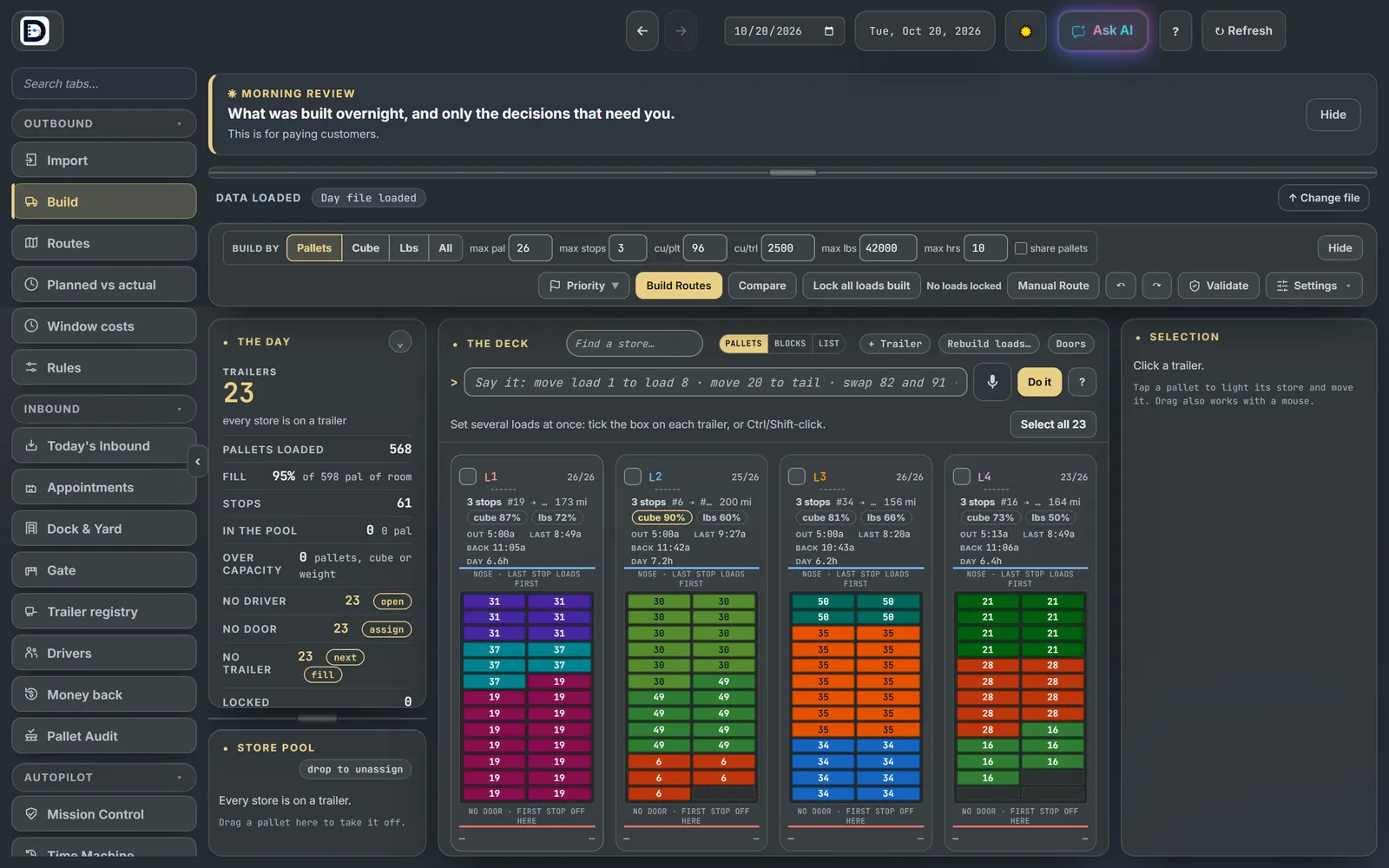
- Open the Build tab. Tonight's counts come from the Import tab.
- Pick Build by: Pallets, Cube, Lbs, or All. A truck is full when the one you pick runs out. With All, it is full when any of the three runs out.
- Check the limits next to it: max pal (26), max stops (3), cube per pallet, cube per trailer, max lbs (42,000) and max hours. Max lbs is a hard stop in every mode.
- Press Build Routes. The loads are on the board in seconds.
The cheaper plan check
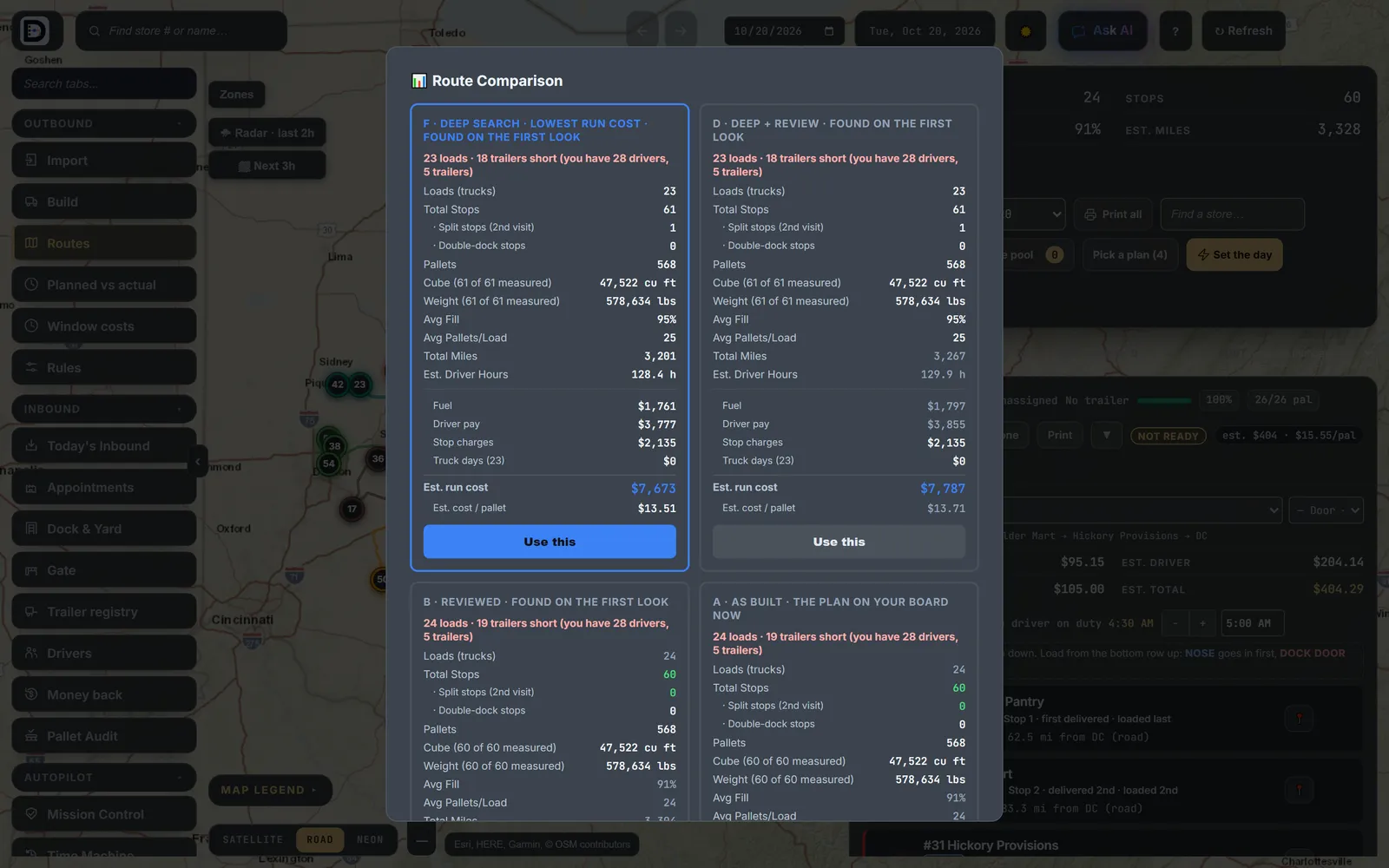
After a build it keeps looking, for up to 7 other plans in about 30 seconds. You can work on the board while it looks. If it finds a cheaper one, Route Comparison opens with the cheapest first and the plan on your board marked.
- Press Use this on the plan you want.
- Close it to keep your board. The plans stay under Pick a plan on the Routes tab.
Cases
An order given only in cases gets its cube and weight from Case sizes on the Fleet page. See trucks and vehicle types.
Next: read and edit the routes.