
Close out the night
Type what really went out, one row per load, then record the day. That turns estimates into measured numbers.
Fill in the loads
Open the Close out tab. The table has one row per load: planned miles, actual miles, planned pallets, delivered pallets, left, back, stops done, refused, and cause of variance. Times and stops from the driver app and the gate fill in by themselves where they exist. Type the rest.
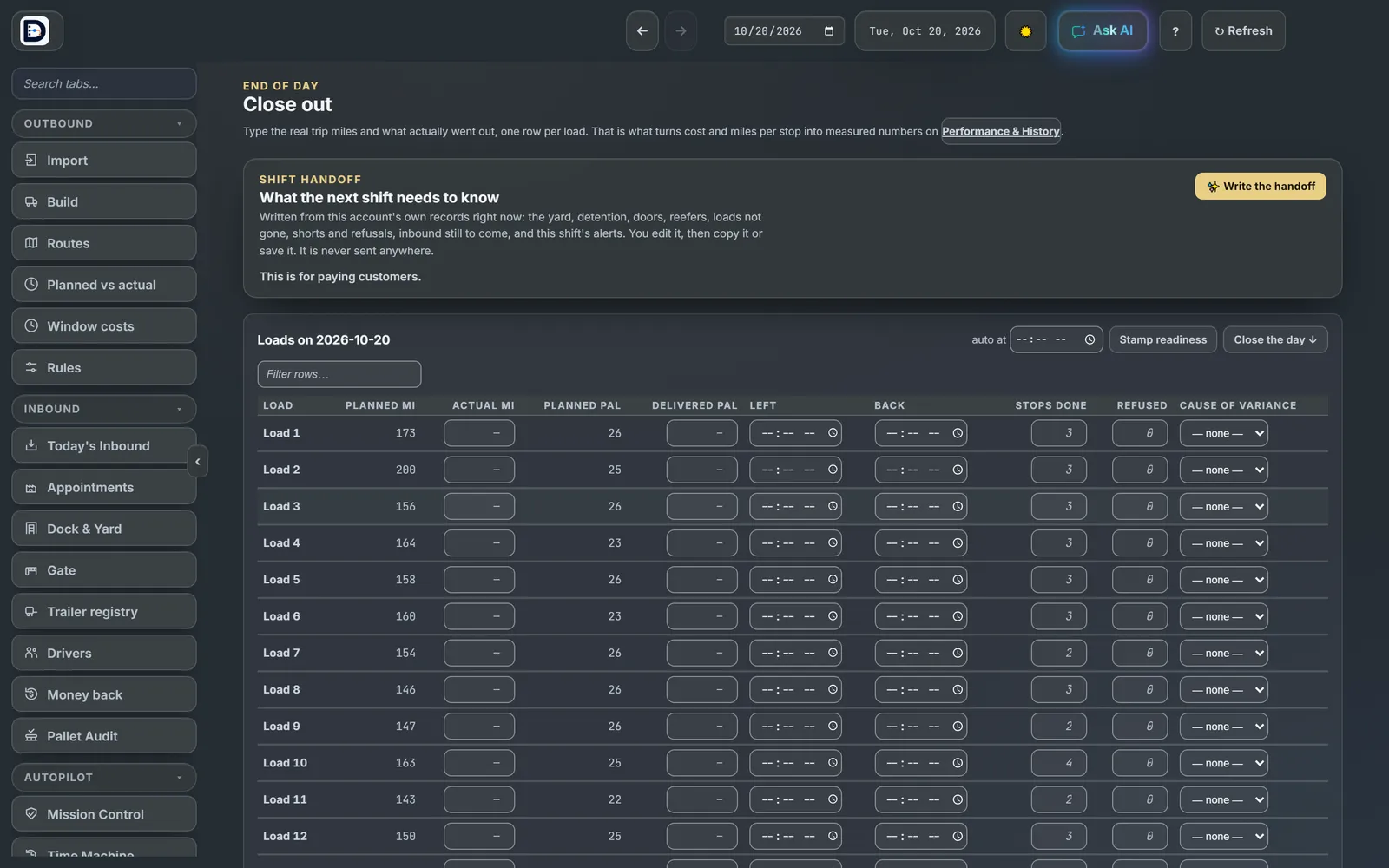
Record the day
- Press Close the day, then Close out now →. The Closing the day debrief opens.
- Under Record today's outcome, fill in loads actually dispatched, cancelled loads and unplanned add-ons. First out, last back and notes are optional.
- Press Record outcome.
Recording locks the day. There is one record per day. Record again replaces it.
If it is blocked
If the plan fails its checks, you see CLOSEOUT BLOCKED. Fix what it names, or press Record anyway as INCOMPLETE. An incomplete day is kept but is not used to learn from.
Hand off to the next shift
Write the handoff drafts a note for the next shift from your own records: the yard, doors, loads not gone, shorts and alerts. You edit it, then copy or save it. It is never sent anywhere.
Closed days feed planned vs actual and the realized tier in Economics.