
See what a plan saves
The plan comparison, the Economics fold in Close out, and a report you can share.
There is no single savings button. Money shows up in three places, and every dollar is an estimate built from your costs.
1. When you build
Route Comparison puts plans side by side: loads, miles, driver hours and estimated run cost. The difference between your board and the cheapest card is what that choice saves tonight. See build loads.
2. Economics, in Close out
Open the Close out tab and the Economics fold. It splits the day into four tiers:
- Theoretical opportunity: empty pallet spots times your cost per pallet. Pure arithmetic, not a promise.
- Technically feasible: only savings the engine actually found and checked.
- Recommended-plan savings: says not computable yet until applied plans are tracked against a baseline.
- Realized: closed-out days only, from what really ran.
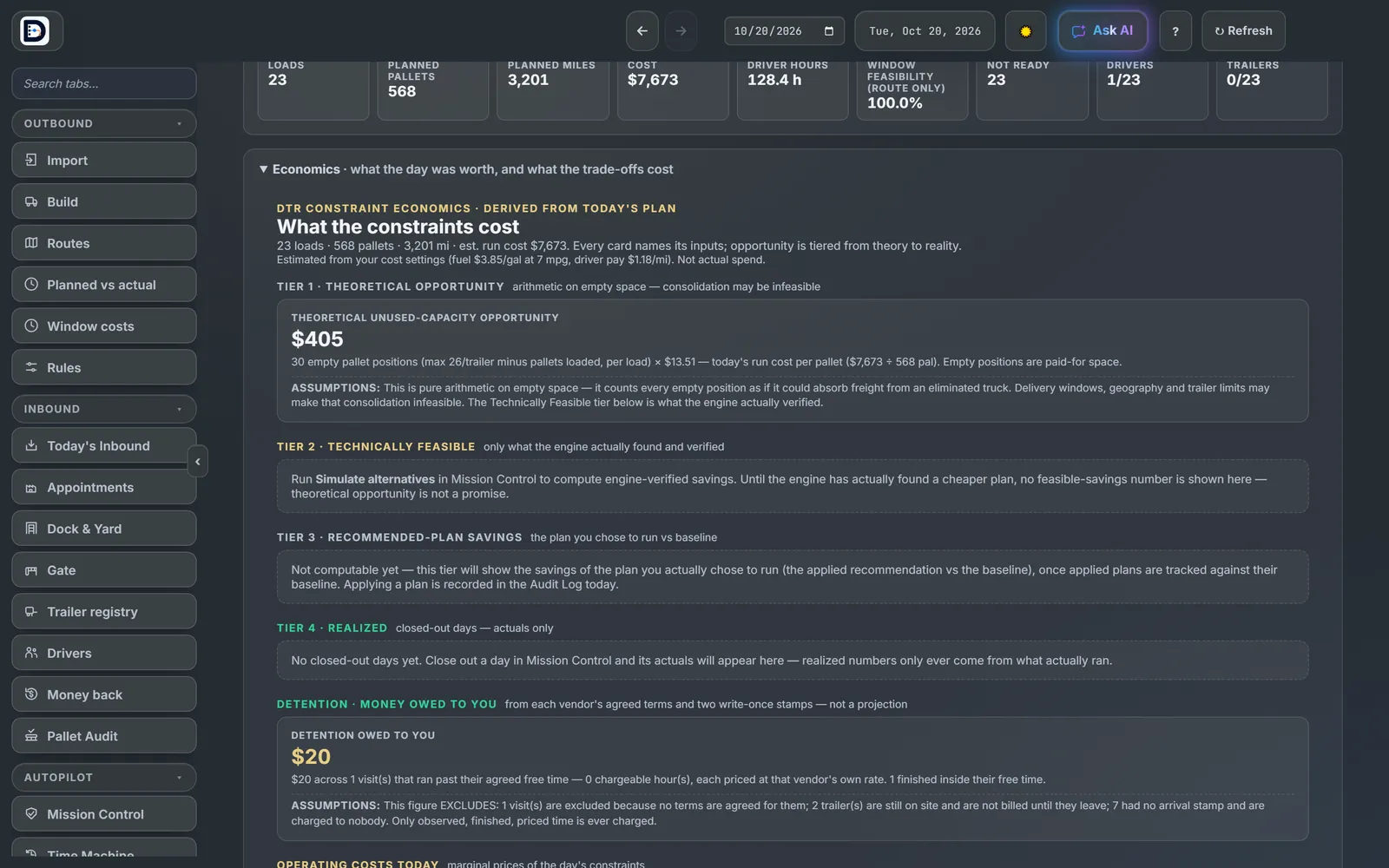
Detention owed to you by vendors shows here too, from their own agreed terms.
3. Verified outcomes
On the Reports tab, the Verified outcomes card makes a read-only report of results with a share link, for an owner or a customer who was not in the room.
The more nights you close out, the more of this comes from real numbers.