
Crossdock freight
Freight that arrives on other trucks: add it to the build, say when it lands, decide what to do when it is late.
Add it to tonight
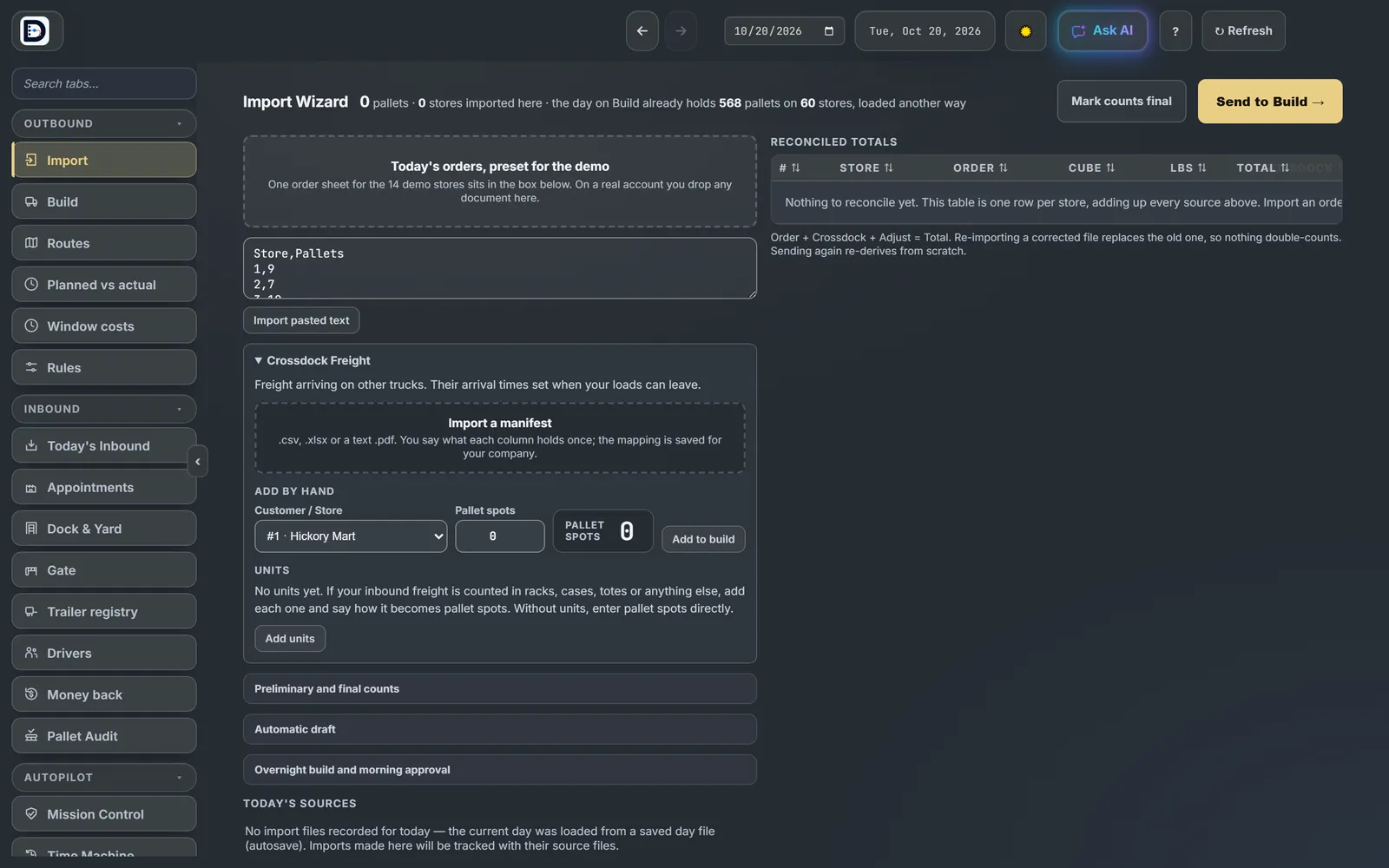
Open the Import tab and the Crossdock Freight section.
- Import a manifest: a .csv, .xlsx or a PDF with real text (a scanned PDF is refused). You say what each column holds once, and the mapping is saved for your company.
- Add by hand: pick the store, type the pallet spots, press Add to build.
- Units: if your inbound is counted in racks, cases or totes, add each unit and how it becomes pallet spots.
Reconciled totals shows one row per store: Order + Crossdock + Adjust = Total. Importing a corrected file replaces the old one, so nothing is counted twice.
Arrival times
After a manifest import, the Inbound arrival times sheet opens. Enter when each truck lands and press Save, or Later. Reopen it with Enter inbound times →. These times decide when each outbound load can leave.
When it runs late
Late freight shows under Late crossdock freight: your call. For each store, pick one:
- Hold the load until it lands.
- Split (B.A.L): split the load so the late part follows.
- Ship short: send the load without it. You get a warning naming what is not shipping today.
"Ship the rest ahead of late crossdock freight" is off by default. An admin turns it on.
Then build the loads as usual.