
Print load sheets and route sheets
The route sheet for the office, a nose-first load sheet for the dock, and a diagram per truck.
The route sheet
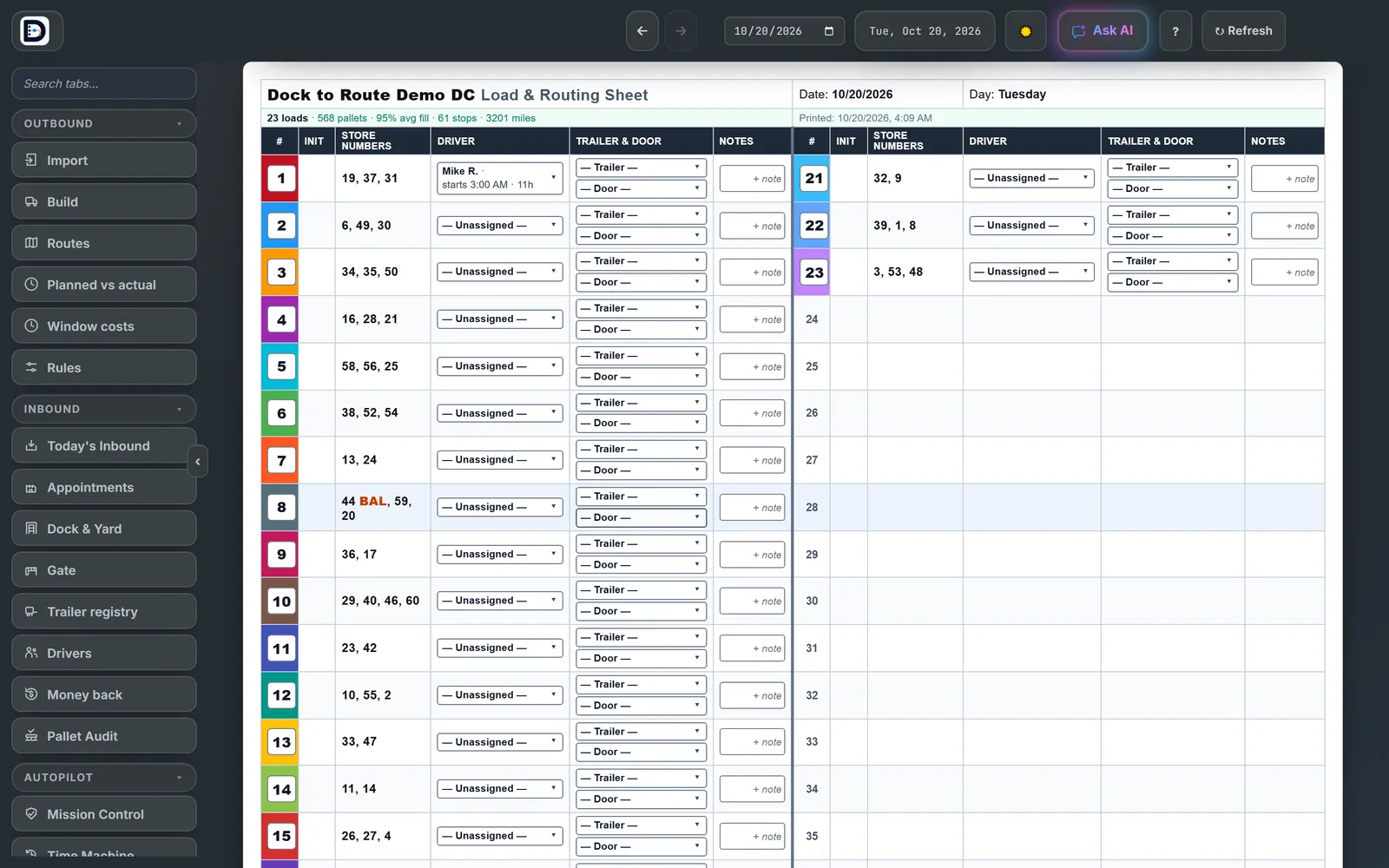
- On the Routes tab, press Route Sheet.
- Read it: one line per load with the store numbers, the driver (when you use the Drivers part), trailer and door, and a notes box you can type in.
- To move a load to another line, type the new line number in its # box.
- Press Print / Save PDF, or Excel Sheet for a spreadsheet.
If any stores are still in the pool, you are warned before it prints.
The load sheet for the dock
Press Load sheet (nose-first) on the Route Sheet. It opens in a new window and prints, so allow pop-ups for this site. Each load gets a block in loading order: the stop that goes in the nose first, the stop by the doors last, the pallets for each, and a check box for the loader.
Load diagrams
A diagram shows the trailer floor, pallet by pallet, one page per truck. Print them all with Print all on the Routes tab, one truck with Print on its load card, or from the Diagrams tab.
Save a copy of the night with Save to History. See close out the night for the next morning.